

OnAirZone
Tired of sharing your entire screen?
Mirror only zone you choose.
Secure your privacy by mirroring only a selected screen region to a virtual window. Seamless integration with Zoom, Google Meet, Microsoft Teams, and more.
Key Features
Customizable Zone Frame
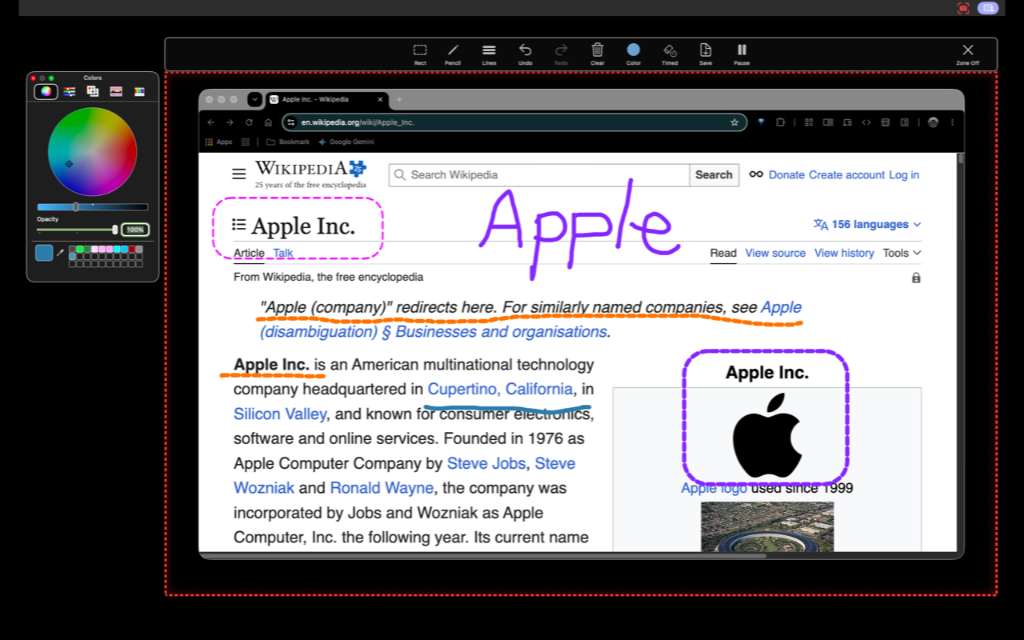
Move and resize a transparent window frame to define the exact region you want to share. Easily snap or lock to standard aspect ratios (e.g., 16:9, 4:3) optimized for video conferences.
Real-time Mirror Window
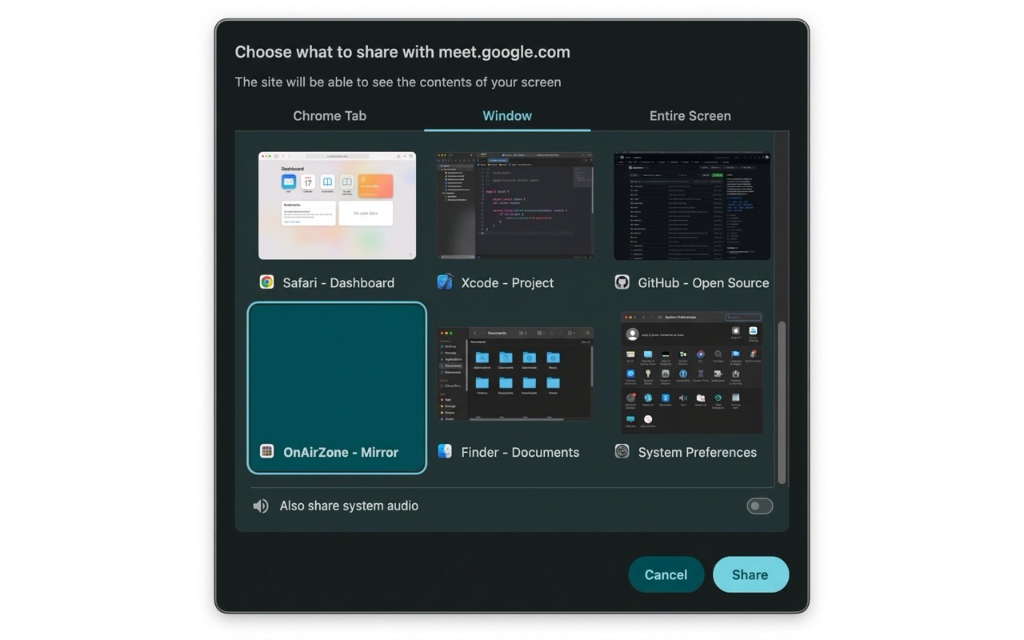
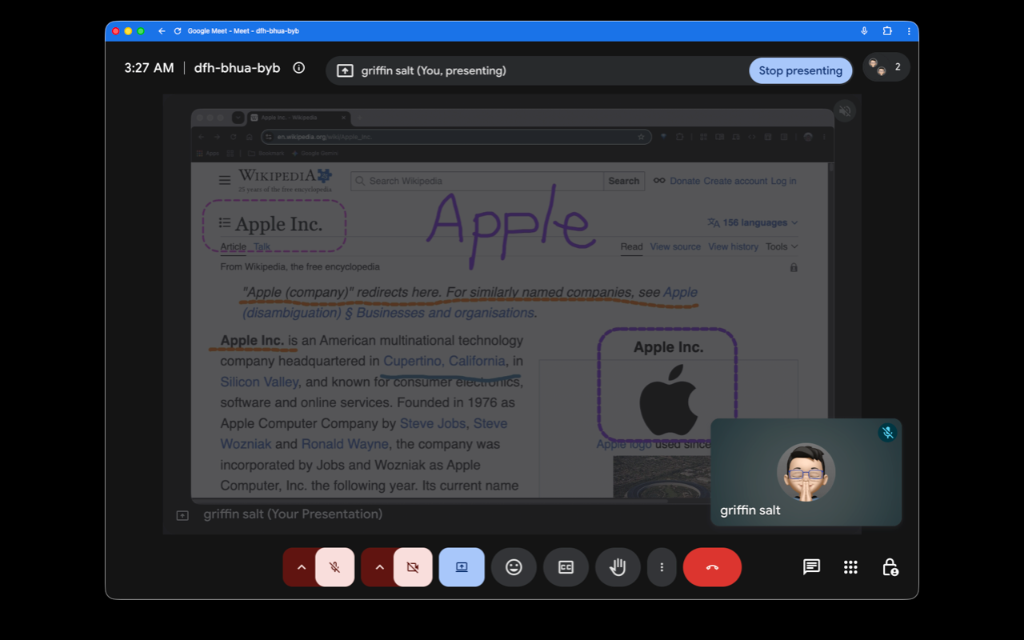
Spawns an independent virtual window that renders the selected area in real-time. Simply select this 'OnAirZone Mirror Window' when sharing your screen in your web conference app.
ON AIR Neon Glow Border
When active, a glowing red border outlines the selected frame, giving you a clear visual boundary of what is currently live and protecting your notifications, emails, and desktop from exposure.
GPU-Accelerated Engine
Built on Apple's modern ScreenCaptureKit framework, delivering low-latency, hardware-accelerated desktop streaming with minimal CPU overhead and optimized battery consumption.
Live Annotation & Drawing
Draw freehand lines or precise rectangles over the shared area. Includes 6 custom line styles (thin to thick, solid/dashed), rounded corners, color picker, and full Undo/Redo (Cmd+Z) support.
Timed Auto-Erase Mode
Toggle temporary drawings that fade out automatically after 3 seconds. Keep your presentation workspace clean and clutter-free without manually erasing highlight marks.
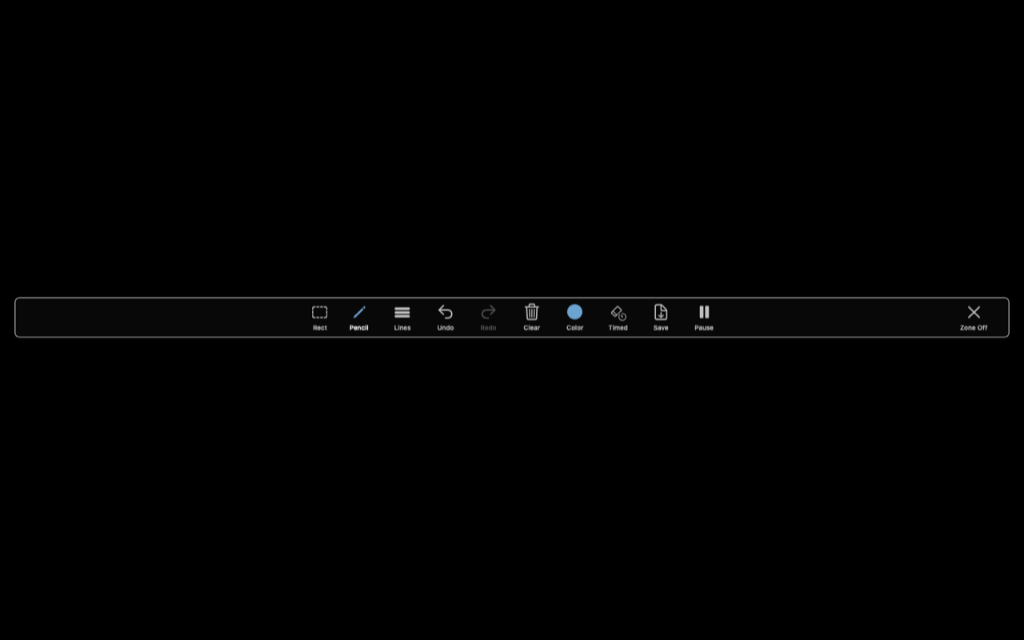
Privacy Shield (Pause & Blur)
Instantly pause streaming with one click. Switch between Gaussian Blur and a Black Screen to shield sensitive data. The frame blinks orange when paused to remind you sharing is on hold.
Smart SVG & PNG Export
Export your annotations to vector SVG or raster PNG. Choose the "with Screen" option to capture your sketches alongside the underlying desktop content in a single image.
How It Works
Position the Frame
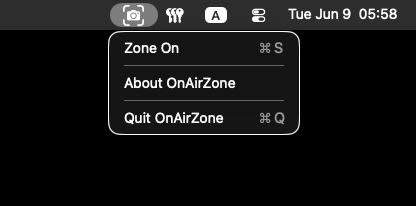
Launch OnAirZone and click the App Icon from the menu bar. Move and scale the transparent frame over the region you want to broadcast.
Start Mirroring
Click 'Zone On' on the control bar. An independent virtual mirror window showing only the framed area will appear.
Share in Meetings
In Zoom, Google Meet, or Microsoft Teams, share the specific window named 'OnAirZone' instead of your entire screen.
Present & Annotate
Drag content in/out of the frame, draw with on-screen tools, or pause/blur sharing instantly when entering sensitive credentials.
OnAirZone Pencil
for iPadOS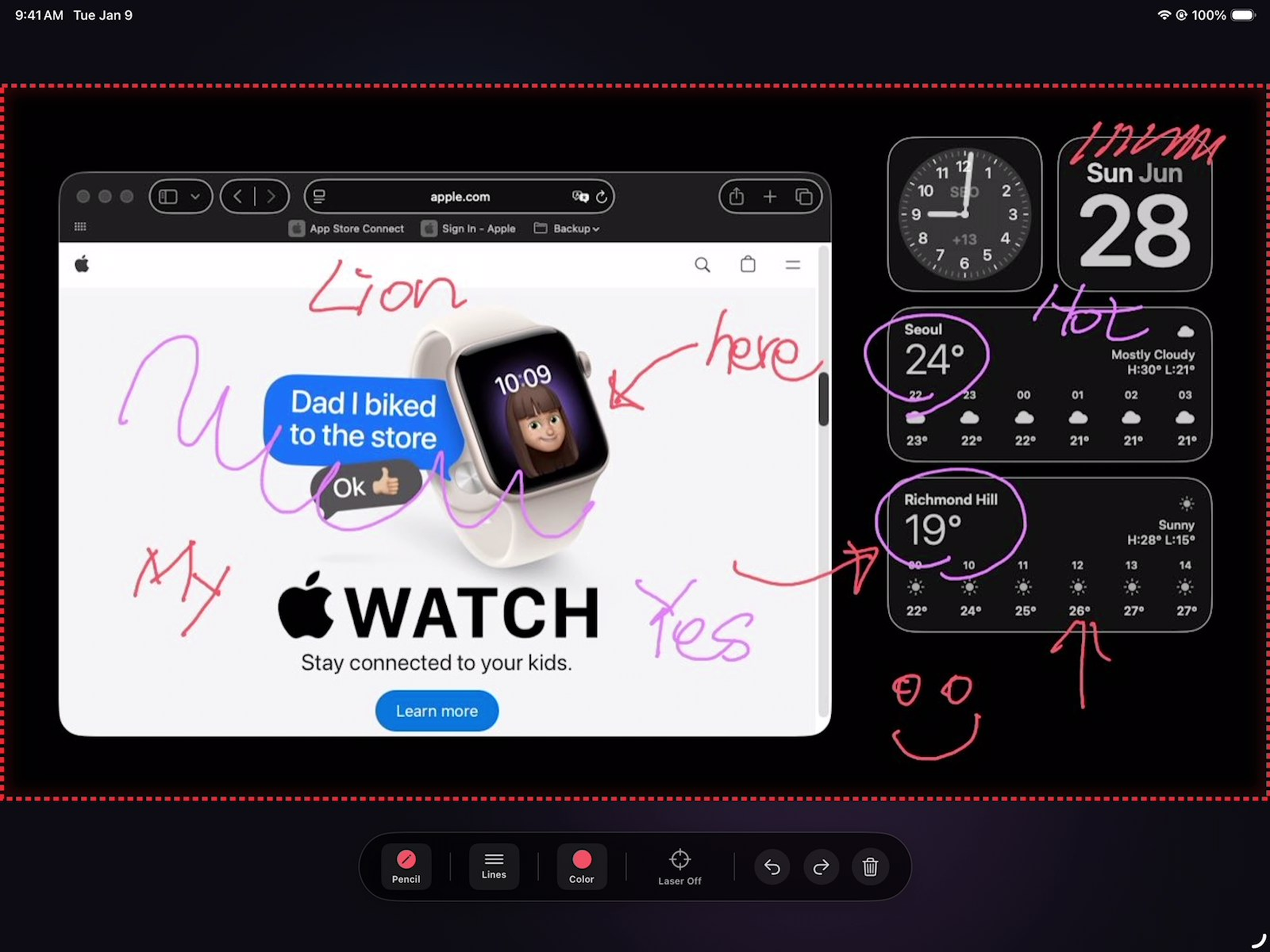
Turn your iPad and Apple Pencil into a high-performance drawing tablet for your Mac. Seamlessly draw, sketch, and annotate directly on top of your macOS screen in real-time with zero noticeable latency.
- Real-Time Screen Drawing: Write, draw, and highlight directly on your Mac screen wirelessly.
- Apple Pencil Optimized: Supports pressure sensitivity, tilt detection, and precision drawing.
- Auto-Pairing: Automatically discovers and pairs with your Mac on the same Wi-Fi network.