We’ve all been there. You get a shiny new laptop, or your main development machine crashes, and you have to rebuild your local dev environment.
You clone your repositories from GitHub, set up your package managers, and everything feels ready. But when you hit npm run dev or flutter run or fastlane release, etc., everything breaks.
Error: Missing API key.
Error: Keystore password invalid.
Error: Unable to locate .env.local file.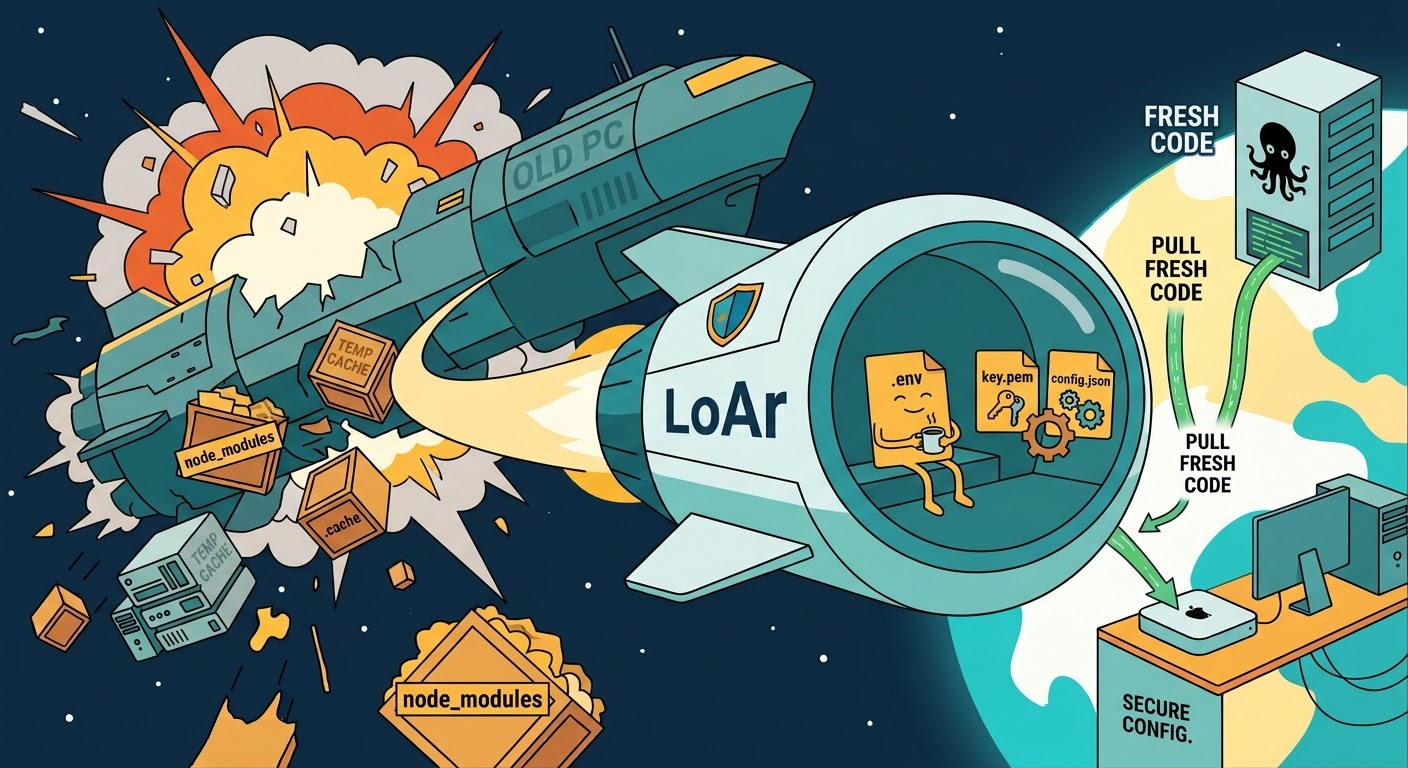
Ah, right. Your .env files, development keystores, certificate credentials, and those specific machine configurations were all excluded via .gitignore—which is exactly what you should do to prevent committing secrets to Git. But now, they are sitting on your old drive, gone forever, or scattered around random folders.
You spend the next few hours recovering password hashes, regenerating API keys, and bothering your coworkers to DM you the team’s development configs.
I got tired of going through this cycle every time I switched environments. I needed a way to collect all those git-ignored, local-only files scattered across multiple projects and back them up to a safe location.
That’s why I built LoAr (Local Archive). It’s a lightweight, dependency-free local archiving CLI tool written in Rust. I’ve been using it for a while now, and it has saved me tons of time. Since it has reached a stable state, I wanted to share it with the community.
What is LoAr?
LoAr is an open-source command-line tool designed to solve a simple problem: backing up files that are excluded from Git, without uploading them to GitHub.
It scans your project directories, identifies files that are excluded from Git (or not tracked), and copies them to a designated local backup target.
You can set your backup destination to a local drive, an external SSD, a NAS, or a folder synced with cloud storage (like OneDrive, Google Drive, or Dropbox).
Core Features That Make it Useful
When I designed LoAr, I wanted it to be fast, secure, and smart enough not to blow up my storage. Here are the core architectures built into it:
1. High-Speed Incremental Skip
Backing up gigabytes of projects every time would be painful. LoAr caches the file state in a local index database. When you run a backup, it compares the file size, modification time (mtime), and SHA-256 hash. If a file hasn’t changed, LoAr skips copying and encrypting it. The result? A full scan of dozens of workspaces takes under 2 seconds.
2. High-Performance AES-256 Encryption
If you are backing up secret API keys, you don’t want them sitting in plain text on your backup drive or synced to a commercial cloud. LoAr supports per-repository encryption. When enabled:
- File contents are encrypted using AES-256 (with keys derived via Argon2id).
- Directory structures and file names are completely obfuscated into random hashes.
- The decryption mapping is kept inside an encrypted SQLite index DB (
loar.db). - Keychain Integration: Your master password is saved securely in your OS credential store (macOS Keychain, Windows Credential Manager, or Linux Secret Service) using the
keyringAPI, so you don’t have to type it every time.
3. Smart Workspace Scanning
Many developers keep a general Projects directory where multiple Git repositories reside. If you point LoAr to Projects/, it will recursively scan the directory.
- If it encounters a subdirectory with a
.git/folder, it dynamically switches gears. - Inside that subdirectory, it query Git (
git ls-files) to see what is tracked. - It then filters out all tracked files and selectively targets the Untracked and Ignored files for archiving.
- Files outside of Git repositories are scanned normally.
4. Custom Ignore Rules (.loar.ignore)
Just because a file is excluded from Git doesn’t mean it deserves a backup. You definitely don’t want to backup node_modules/, Rust’s target/, or iOS DerivedData/.
LoAr automatically creates a .loar.ignore template in your project root on the first backup. You can edit this file to permanently ignore junk directories or build artifacts using standard gitignore syntax.
- .loar.ignore file example
# LoAr Default Exclusions
# Files matching these patterns will NEVER be archived, regardless of git status.
# Feel free to edit this file. Lines starting with '#' are comments.

# OS Metadata
.DS_Store
Thumbs.db
.Spotlight-V100
.Trashes

# Common Build Output & Dependencies
node_modules/
target/
bin/
obj/
build/
dist/
out/
*.o
*.class
*.exe
*.dll

# IDE Settings
.idea/
.vscode/
*.suo
*.user
*.suo
*.ntvs*
*.njsproj
*.sln.docstates
Installation
LoAr is distributed as a single static binary with no external runtime dependencies. You can install it on macOS, Windows, or Linux.
One-Click Script Installer (All Platforms)
The quickest way to install LoAr. The script detects your OS and architecture, grabs the latest binary, and adds it to your PATH.
-
Linux / macOS:
curl -fsSL https://raw.githubusercontent.com/cavecafe-cc/homebrew-tap/main/install.sh | sh -
Windows (PowerShell):
irm https://raw.githubusercontent.com/cavecafe-cc/homebrew-tap/main/install.ps1 | iex -
macOS (Homebrew)
Install via our official Homebrew Tap:
brew tap cavecafe-cc/homebrew-tap brew install loar -
Windows (Scoop)
If you use Scoop on Windows:
scoop install https://raw.githubusercontent.com/cavecafe-cc/local-archive/main/scoop/loar.json
4. Linux (APT or Snap)
For Debian/Ubuntu systems:
# Import GPG key
curl -fsSL https://bin.cavecafe.cc/downloads/loar/apt/gpg.key | sudo gpg --dearmor -o /etc/apt/trusted.gpg.d/cavecafe-cc.gpg

# Add repository
echo "deb [arch=amd64,arm64] https://bin.cavecafe.cc/downloads/loar/apt stable main" | sudo tee /etc/apt/sources.list.d/loar.list

# Install
sudo apt-get update && sudo apt-get install loar
Or install the universal Snap package:
sudo snap install loar

# for external storage access (/media, /mnt, etc.)
sudo snap connect loar:removable-media

# to store encryption passwords (if you want to encrypt your data)
sudo snap connect loar:password-manager-service
Quick Start
1. Configuration
LoAr stores its global configuration in your home directory at ~/.loar/loar.toml.
Here is a basic setup:
# Destination folder where all backups are copied and stored
target_dir = "/Volumes/Backup/LoAr"

# Global exclude patterns applied to all repositories
global_exclude = [
    ".DS_Store",
    "node_modules/",
    "target/",
    "bin/",
    "obj/",
    ".idea/",
    ".vscode/",
    "DerivedData/",
    "Pods/"
]

# List of repositories to sync
[[repositories]]
name = "My-Awesome-App"
path = "/Users/username/Projects/my-awesome-app"
encrypt = true               # Encrypt secrets with High-Performance AES-256
one_way_sync = true          # Delete files in backup if deleted in source

[[repositories]]
name = "Public-Blog"
path = "/Users/username/Projects/blog"
encrypt = false              # Plain copy backup
one_way_sync = true
2. Interactive TUI Mode
Simply run loar without any flags to open the interactive console. It provides a clean terminal menu to register repos, run backups, and restore archived files.
$ loar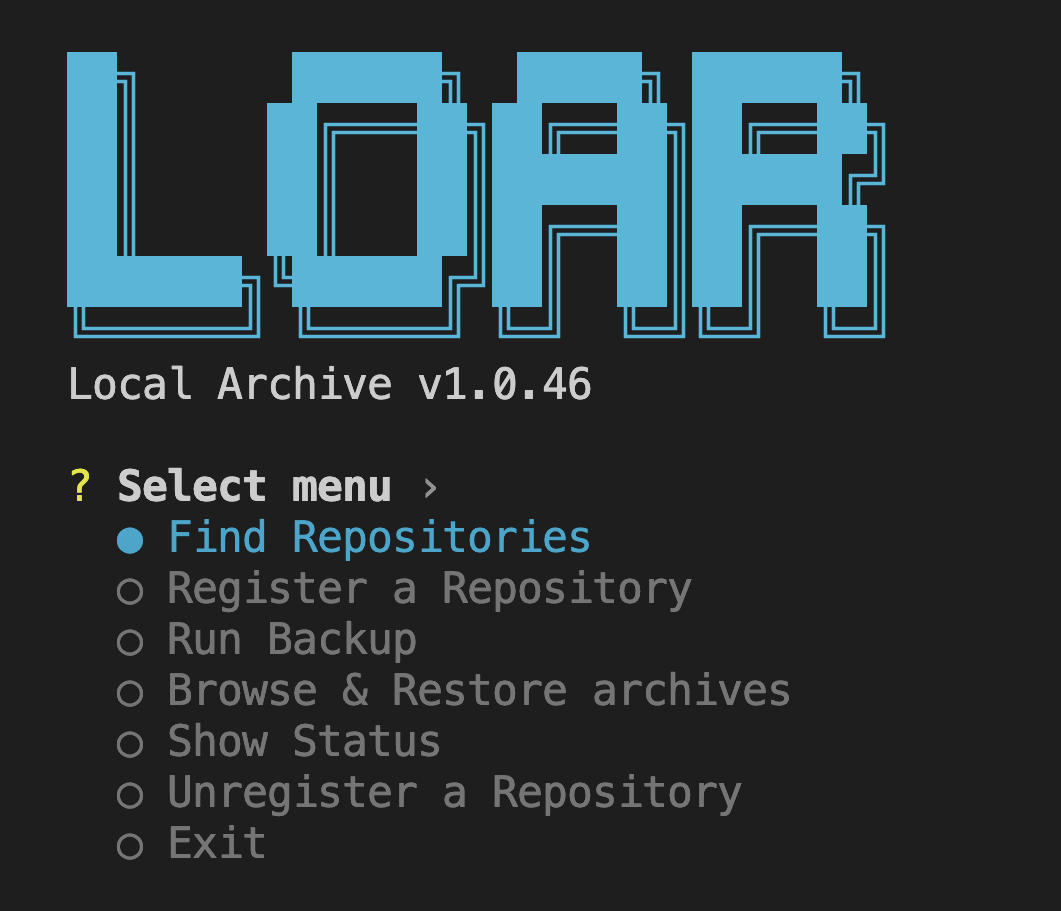
3. Automated CLI Mode (Great for Cron Jobs)
If you want to run backups in the background or automate them, use the CLI mode:
- Backup everything registered in TOML:
loar run --all - Backup a specific repository:
loar run --repo My-Awesome-App - Check backup sync status:
loar status - Restore a repository backup to a target path:
loar restore --repo My-Awesome-App --dest /Users/username/Restored/App
Pro-Tip: Building an Automated Cloud Sync Pipeline
The real power of LoAr comes when you combine it with a cloud storage client or a NAS.
If you configure your target_dir in loar.toml to a directory managed by a cloud sync client (e.g. ~/OneDrive/Backups/LoAr), the following happens:
- When you run
loar run --all, LoAr securely backups all your local.envand secret keys to your OneDrive folder. - Because you enabled
encrypt = true, any snooping cloud provider only sees encrypted binary chunks (e.g.a1b2c3d4e5f6...) and has no idea what files they are or what’s inside them. - LoAr’s Incremental Skip only touches files that actually changed, which prevents triggering massive cloud re-uploads.
- If you switch to a new machine, you just set up OneDrive, install LoAr, and run a single restore command to bring back all your development secrets in one click.
Wrap Up
LoAr is still in active development, but the core features are solid, and it has already saved me from several “setup disasters.”
If you’d like to give it a try or check out the code, the repository is hosted on GitHub: 👉 https://github.com/cavecafe-cc/loar
If you have any feature requests, ideas, or feedback, feel free to open an issue or leave a comment below. What strategies do you use to manage your local development secrets? Let me know!